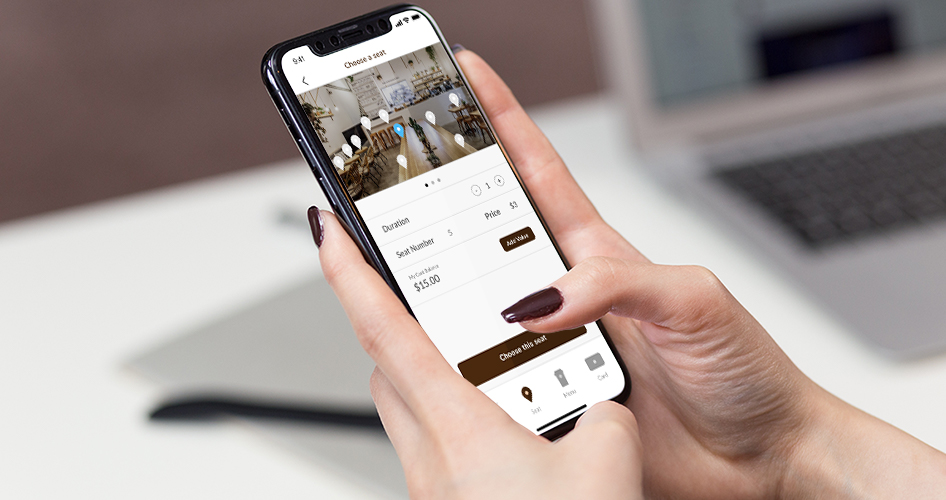
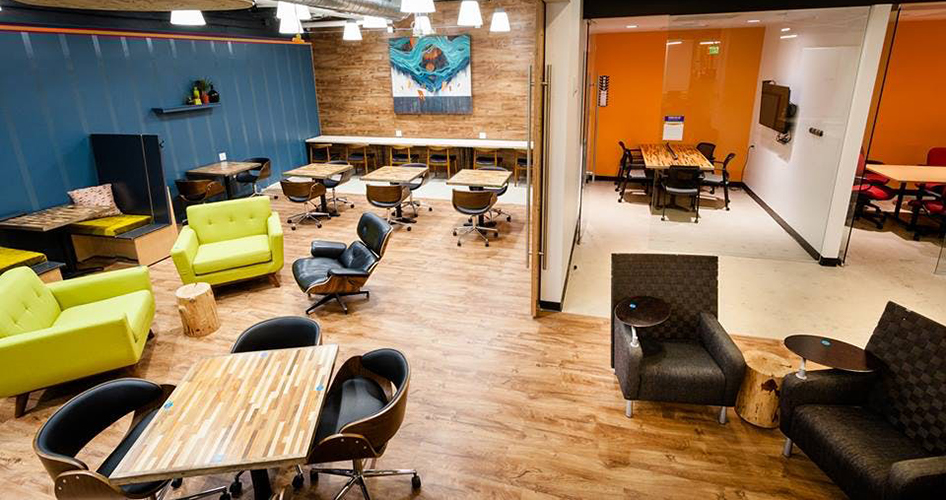
The Workshop Café application creates a unique reservation experience on the customer's mobile phone. In this case study, I deeply understood the mobile experience from the consumers’ side and designed an alternative version for increasing the overall usage.
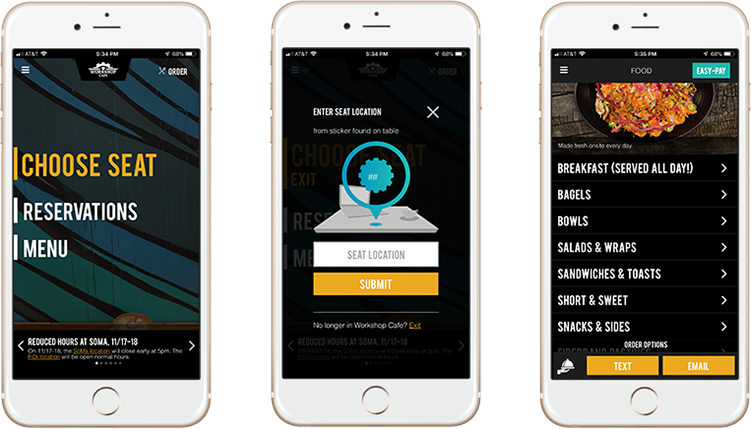
During my first visit at Workshop Café, the seat choosing function drove me crazy. I could not get any information on the app, such as seat numbers and seating maps. Thus, I needed to ask the staff how to use this application. It was so embarrassing!
PROBLEM
How might we design an approachable experience?
Choosing a comfortable seat is everyone’s purpose when visiting a café. However, the existing application has not made it easy for customers. According to the ratings and reviews in App Store, the functions in the application does not meet people’s expectations.
How might we reduce the process?
The purpose of the online order system is to take orders efficiently. However, in the existing application, users need to either text or email the staff to complete the order. Hence, the current app didn’t save much time compared to ordering food at the counter.
INITIAL RESEARCH
Usability & Functionality
I researched customers' reviews for Workshop Café on Yelp. Overall, people like the concept of the application. However, the usability seems poor without choosing a seat. There are lots of bugs with the booking system and the order system.
Accessibility & Presentation
One big concern from the users is the application asks for your personal information from the beginning, such as credit card number and phone number. Without that, you can't access this app. Also, the interface would work better if they reorganized the existing complicated elements.
TARGET AUDIENCE
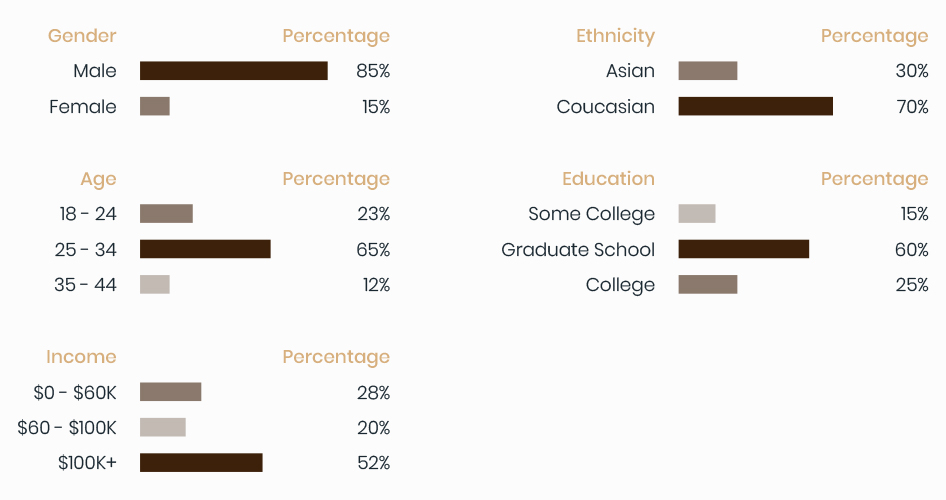
According to Alexa.com research...
Most of the visitors are male, and over 60% of them are 25-34 years old. The majority of users have a graduate degree with income over 100k.
CONTEXTUAL INQUIRY
I interviewed three customers at the café.
Based on the target audience research, I went to Workshop Café to interview three customers who use the application. I asked about their experience with the current application, and what they think are the strengths and weaknesses. I also went through the seat choosing process and order process with them.
Insight
1. Not convinced navigations and the seat choosing process.
The common result that I found through the interviewers was that they doubted about the navigations because it provides repeating features on the home page and on the sidebar. Also, most of the users have difficulties choosing a seat at the first time.
2. The existing order system is not user-friendly.
People in the café don’t usually order food and drinks through the application because they need to either text or email the staff to complete the order. Therefore, they decided to order food and drinks at the counter.
3. Rewards program can increase the visit rate and the usage.
Some customers are concerned about purchasing food and drinks at the café since the prices are more expensive. When I talked about the idea of the rewards program, all customers said it will definitely enhance their visits at this café and increase their consumption.
IDEATION
Whiteboarding
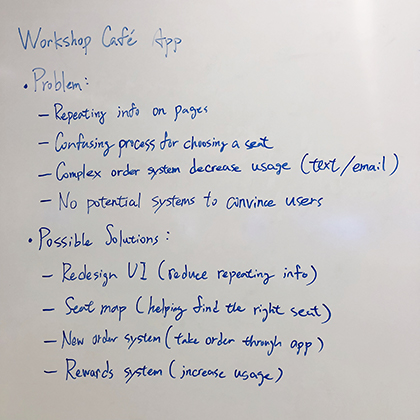
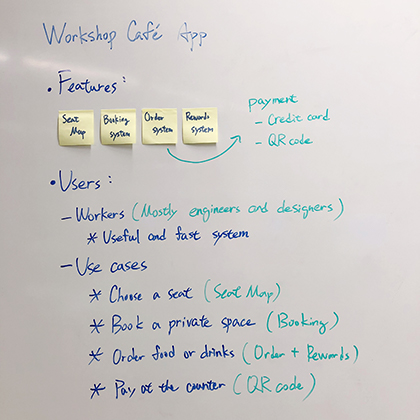
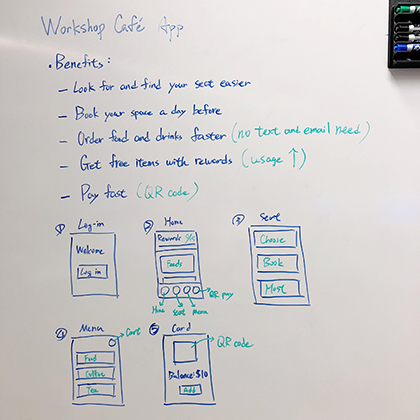
I started to define the problems and solutions on the whiteboard. Writing down all the possible choices and crossing out some off-subject ideas.
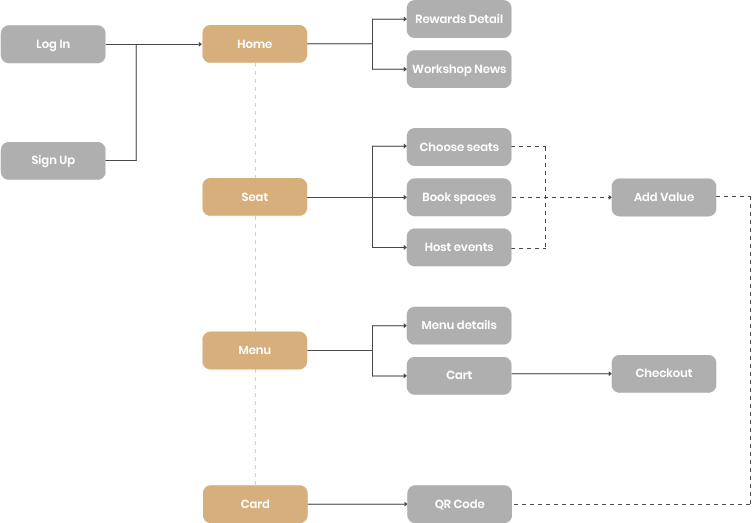
INFORMATION ARCHITECTURE
SKETCHES
WIREFRAMES
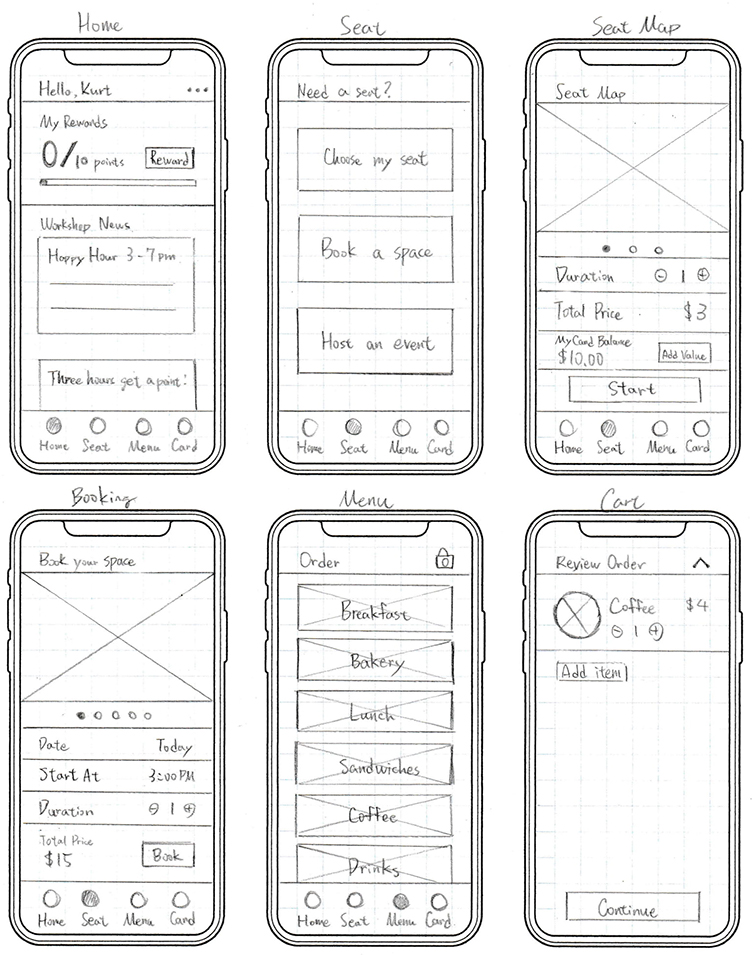
After I sketched out the basic layout, I started to design the user flows with low-fidelity wireframes.
Task 1 - Login and choose a seat
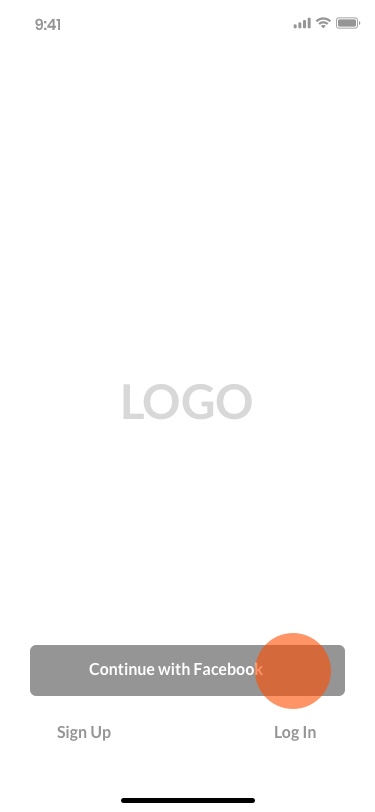
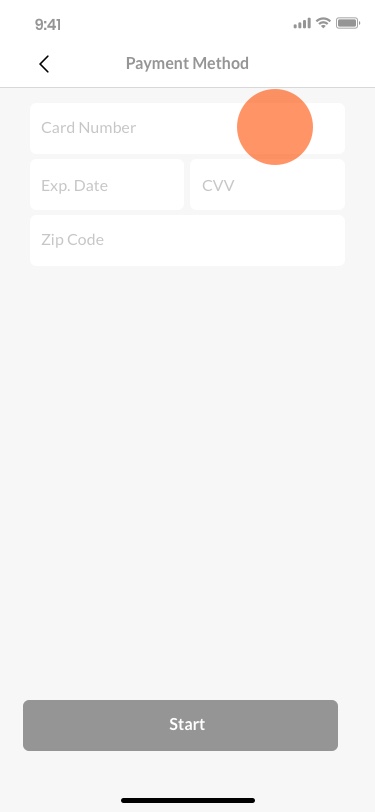
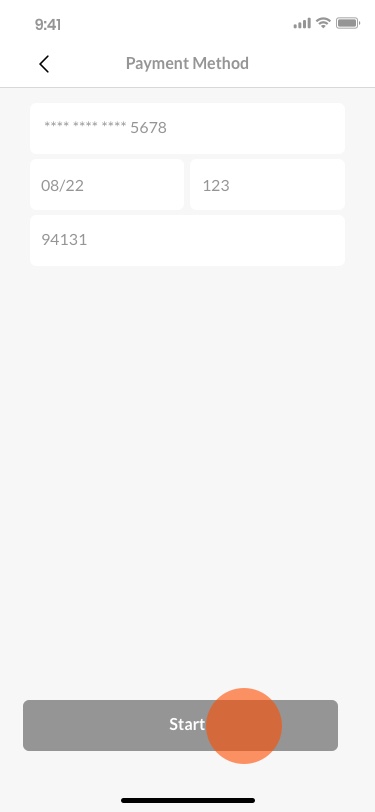
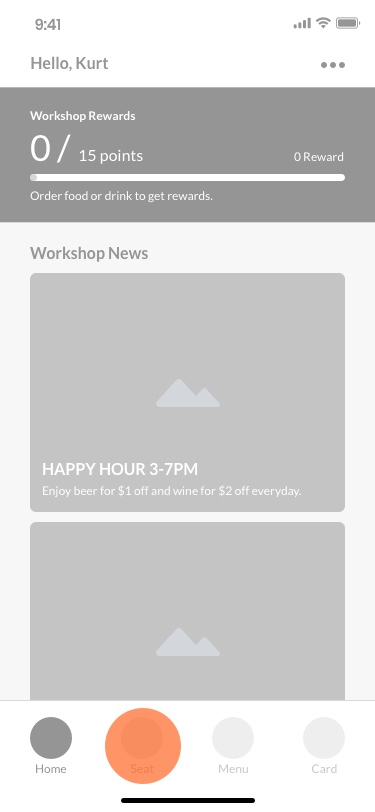
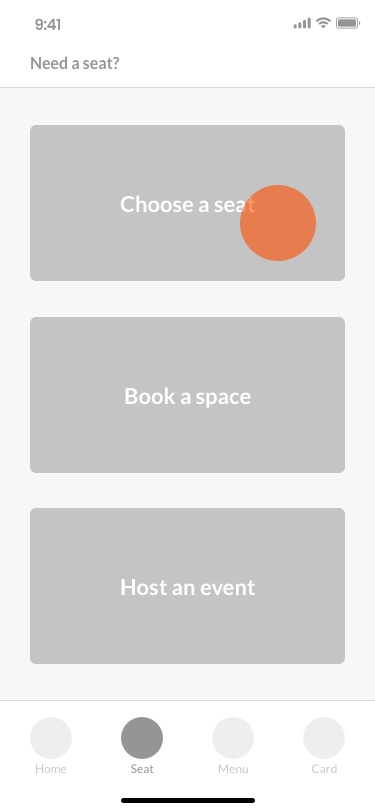
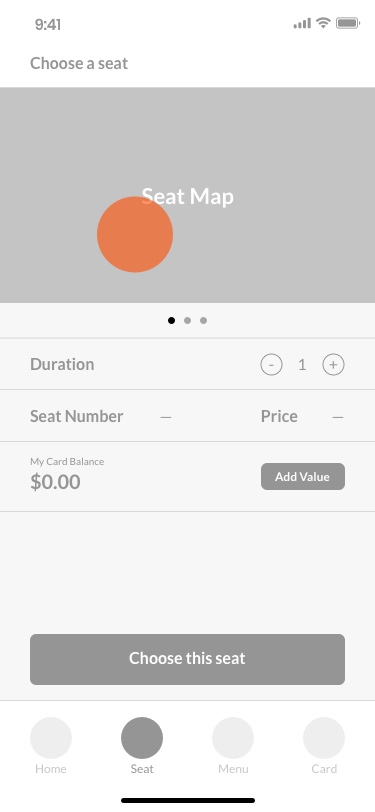
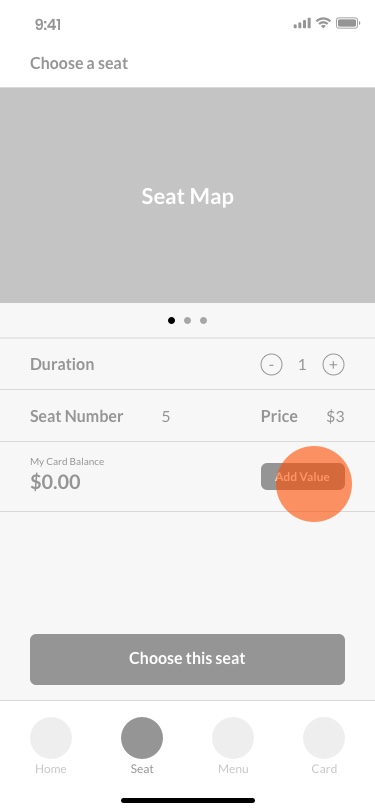
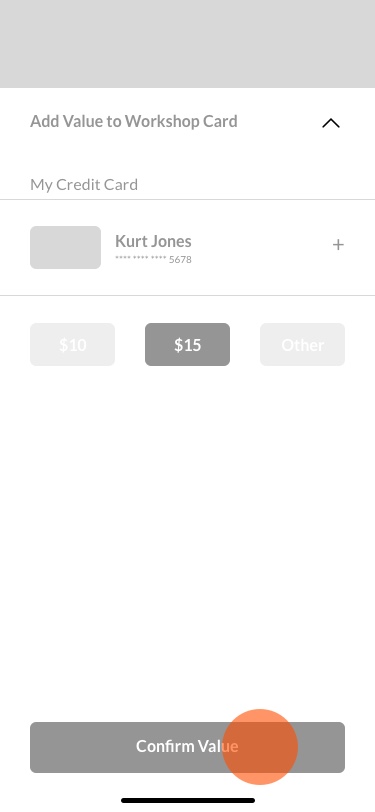
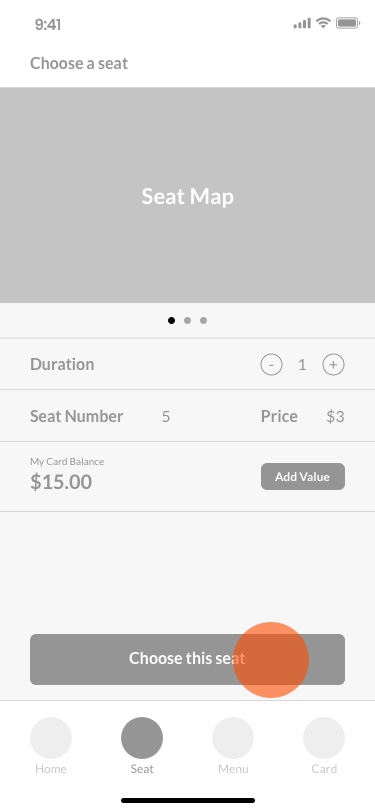
The new user needs to sign up through the application, choose a seat number, and add value to the Rewards card to complete choosing the seat.
1 - 1 Log in
1 - 2 Card Info
1 - 3 Click Start
1 - 4 Go Seat
1 - 5 Click Choose
1 - 6 Choose Seat
1 - 7 Add Value
1 - 8 Confirm Value
1 - 9 Complete Seat
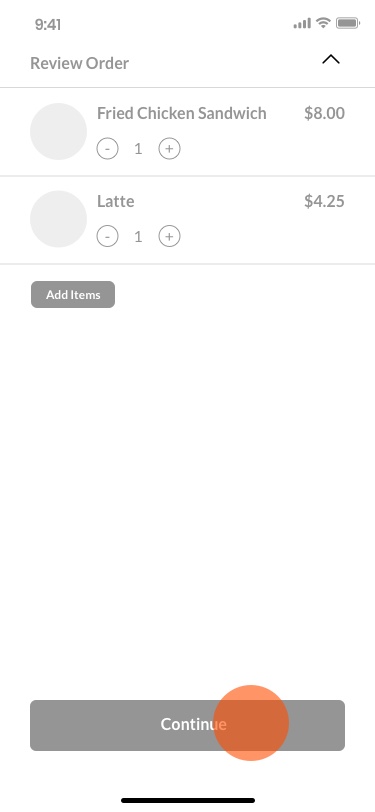
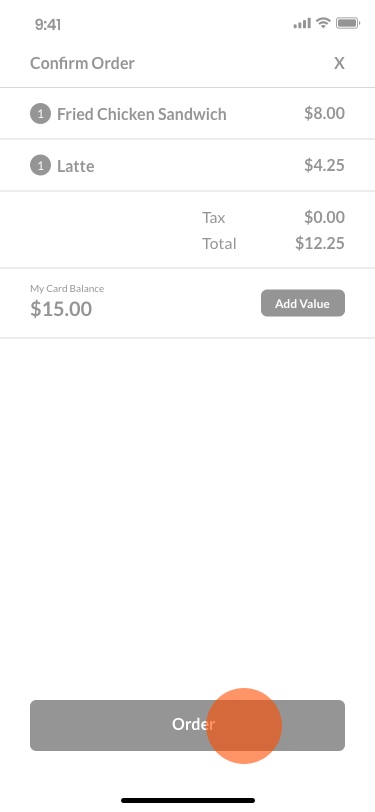
Task 2 - Order food and pay
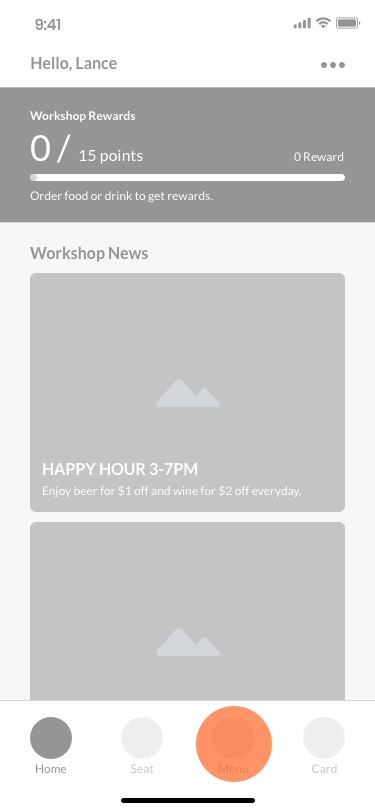
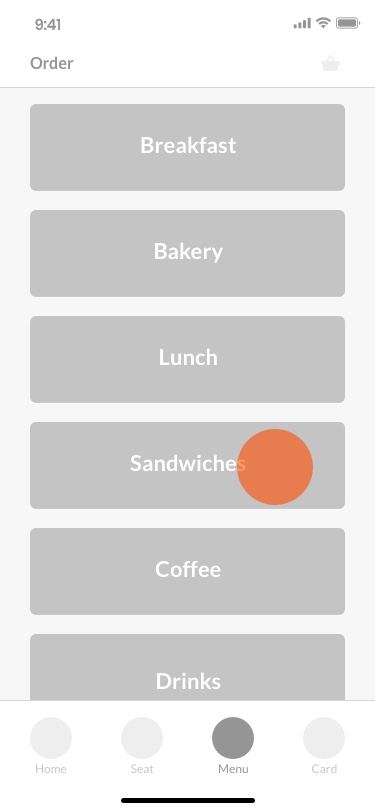
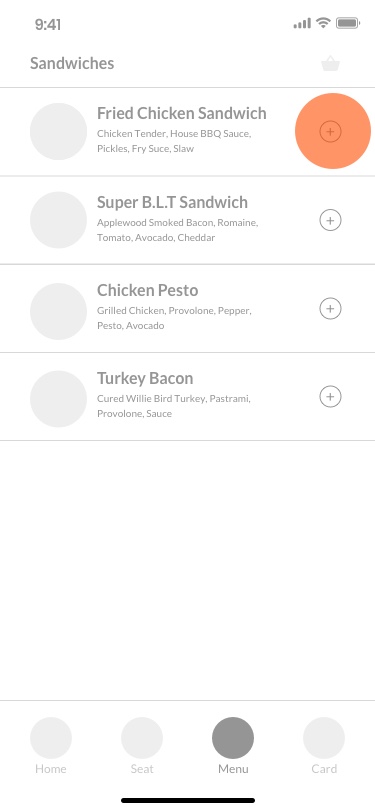
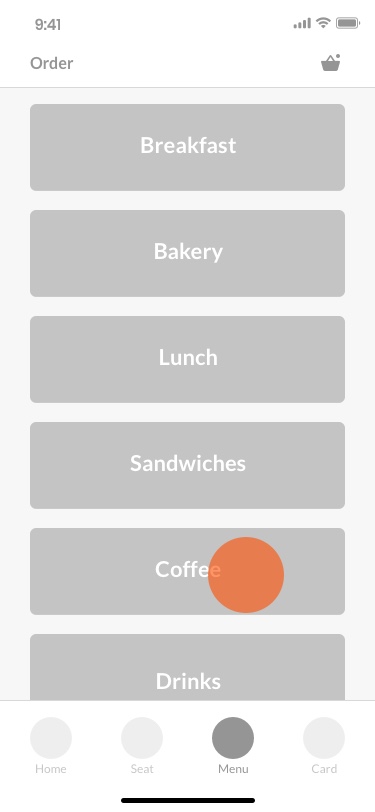
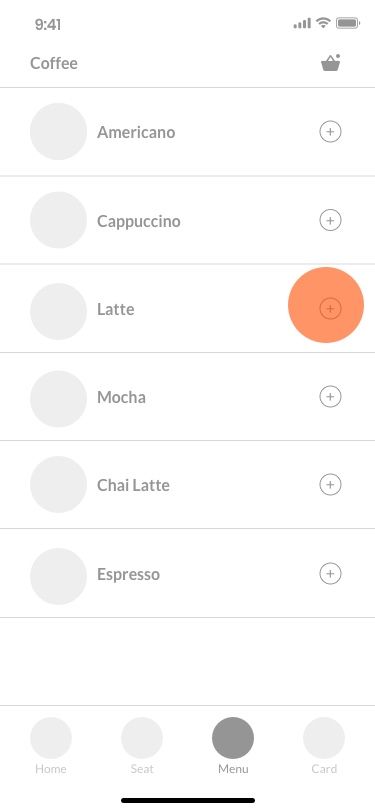
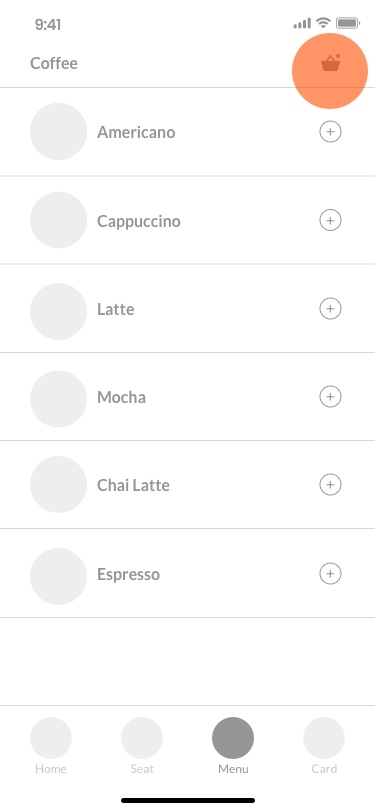
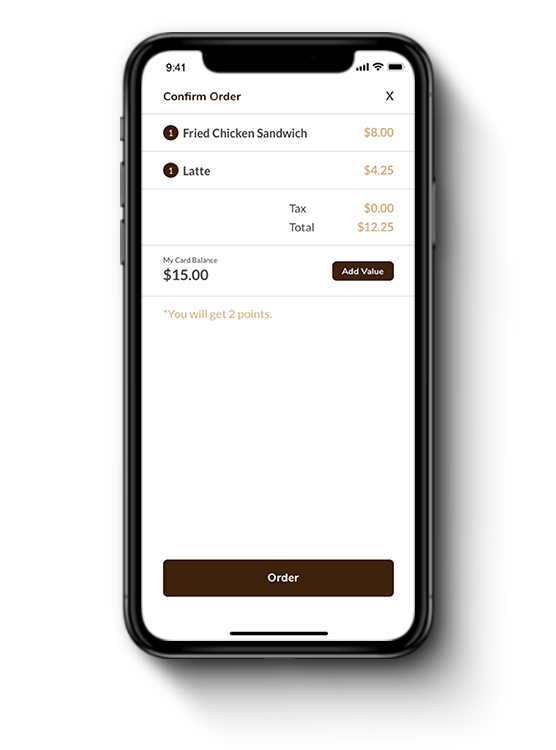
The user goes to Order page. He orders a friend chicken sandwich and a latte. Then, he earns 2 points from paying with the Workshop Card in the application.
2 - 1 Go Menu
2 - 2 Go Sandwich
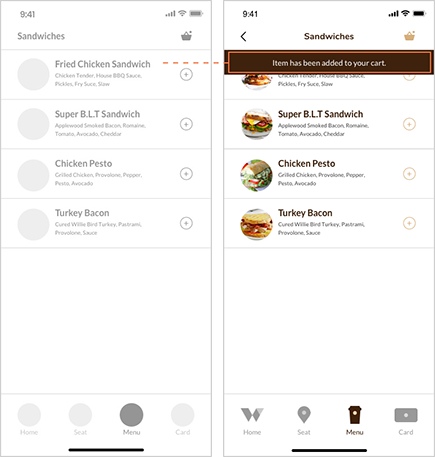
2 - 3 Add Food
2 - 4 Go Coffee
2 - 5 Add Drink
2 - 6 Go Cart
2 - 7 Continue
2 - 8 Confirm Order
Task 3 - Get a Reward and use
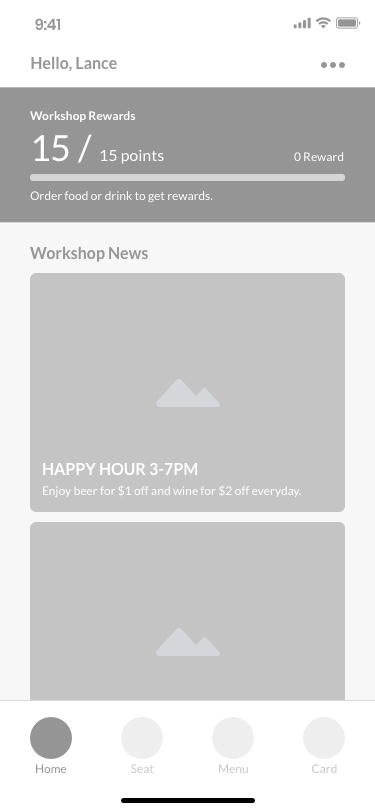
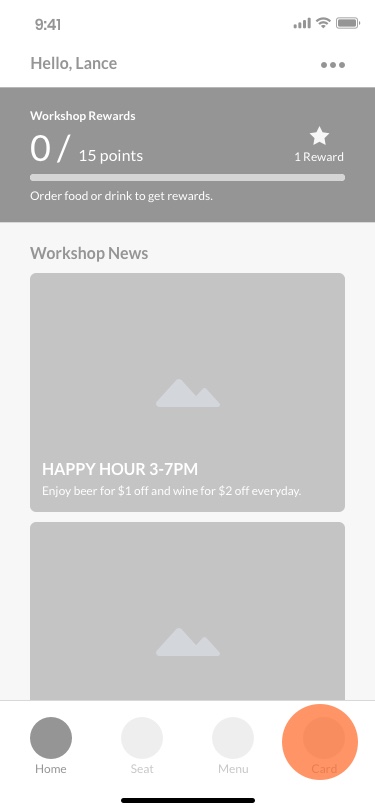
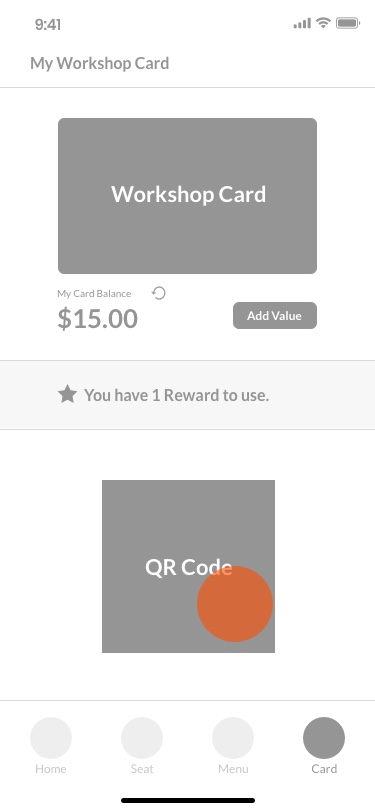
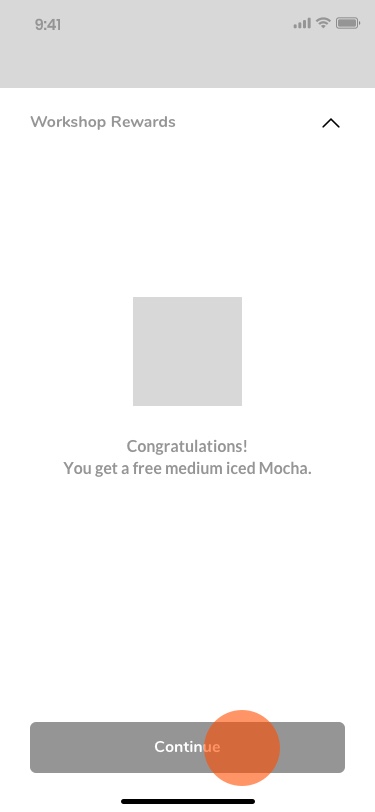
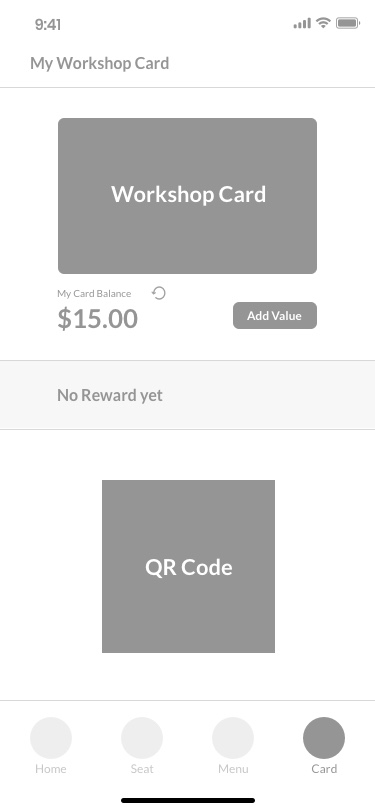
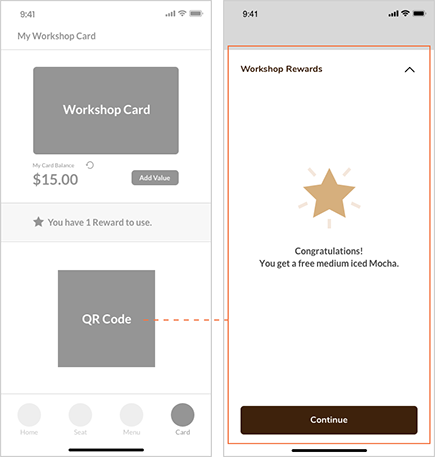
After earning 15 points, it can be redeemed for a Reward. The user goes to Card page and pays with the QR code. He uses the Reward to get a free drink.
3 - 1 Get a Reward
3 - 2 Go Card
3 - 3 Scan Code
3 - 4 Confirm Info
3 - 5 Completed
USABILITY TESTING
I ran a usability testing with three target users because all of them have been to Workshop Café. They did the testing with low-fidelity wireframes and gave me some valuable feedback.
Rewards Program
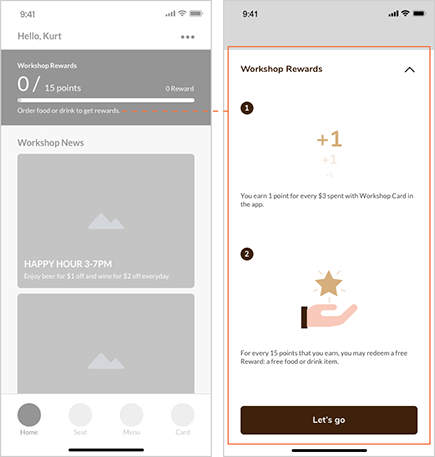
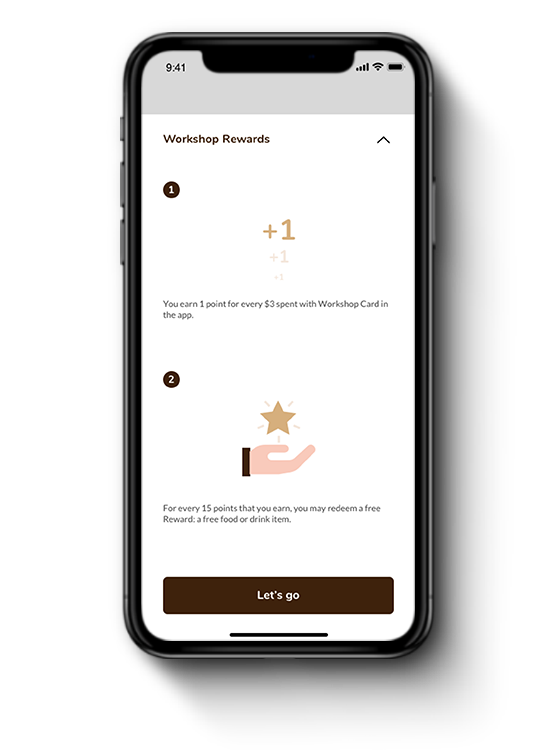
Some testers asked about how the Rewards Program works. They were confused that they can get rewards with purchasing hours or ordering food. Therefore, on the new version, users can check the Rewards details to learn more.
Add to Cart
For the previous version, “Add to Cart” action was not clear enough for the testers. Thus, users can see the Add to Cart alert before they complete the order.
Pay with Rewards
One of the testers said she would like to know if she has successful redeem a reward. The alert page will appear after users get food or drinks with Rewards.
Final Design
Seat Map
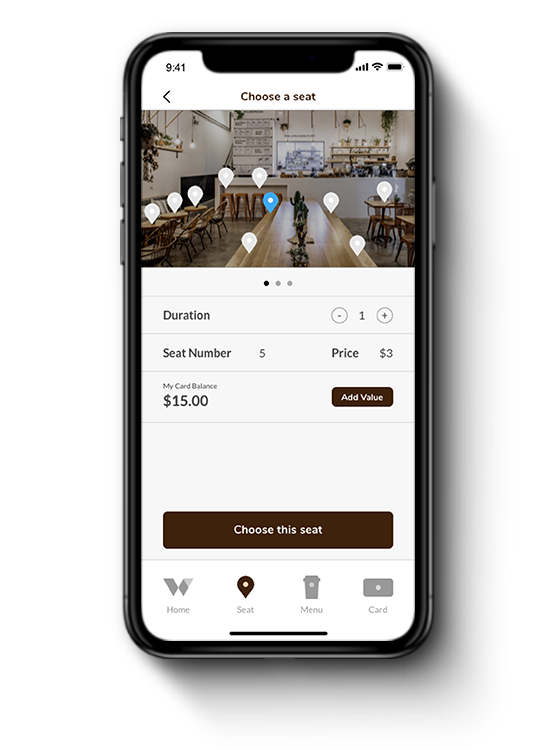
When users are going to choose a seat, the Seat Map will show the 3D floor plan and seat details to let them decide on their preference. After choosing a seat, users can easily check the current status or leave the seat.
Order System
Now, users can order food easily through the application. After users add items to the cart, what they have to do next is pay for the bill with their credit cards to complete the order.
Rewards Program
Bringing in the rewards program is an effective strategy to help retain customers and attract new customers to the café. It can also increase the usage of the application.
DESIGN DECISIONS
Seat Map
Action: Bringing the 3D floor plan in the seat choosing process.
Testers: "This is clear and easy to understand what seats I can choose. Seating map can definitely improve the choosing process."
New Order System
Action: Reducing the order process. Users no longer need to text or email to complete the order.
Testers: "Great idea! I don't like to text or email the staff to order food. It should be completed on the application."
Rewards Program
Action: Earning points on every $3 spent in the application.
Testers: "The overpriced food is my fear to stay a long time at this café. With the Rewards Program, I will stay more hours there and get some free food and drinks."
REFLECTION
Key takeaways from this project
Having the experience to redesign an existing application is a challenge. To design an approachable experience to fit user needs is my goal for this project. To reach that, I did a lot of researches, interviewed real customers, and received feedback from user testing to make reasonable design decisions. I overcame the difficulties by bringing in the intuitive features. The design process was enjoyable, and I will bring these valuable learnings and skills on to the next project.